如何获取 Steam 好友链接 / 好友代码?▾
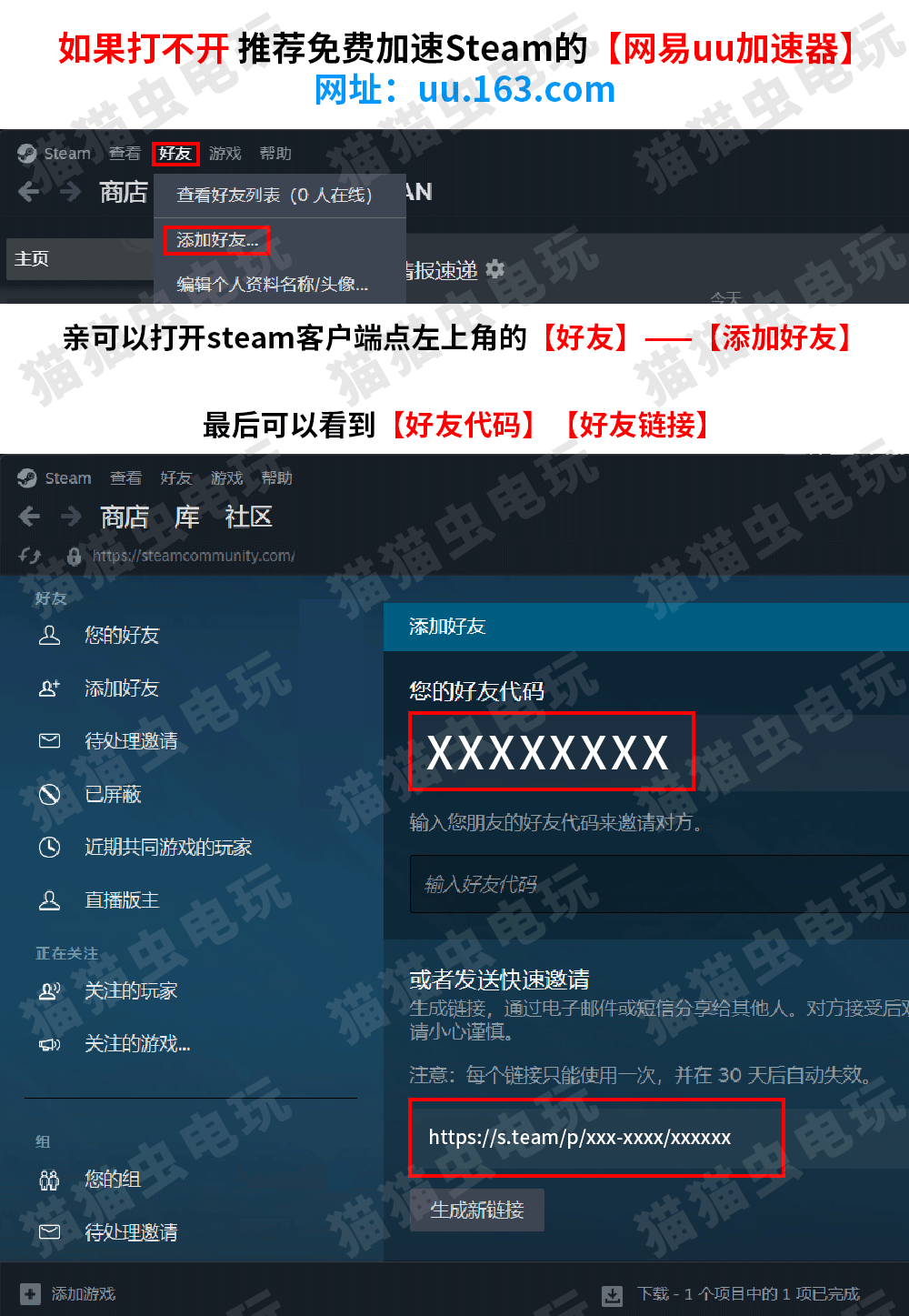
打开 Steam 客户端,点左上角的 【好友】 —— 【添加好友】,即可看到好友代码 / 链接。
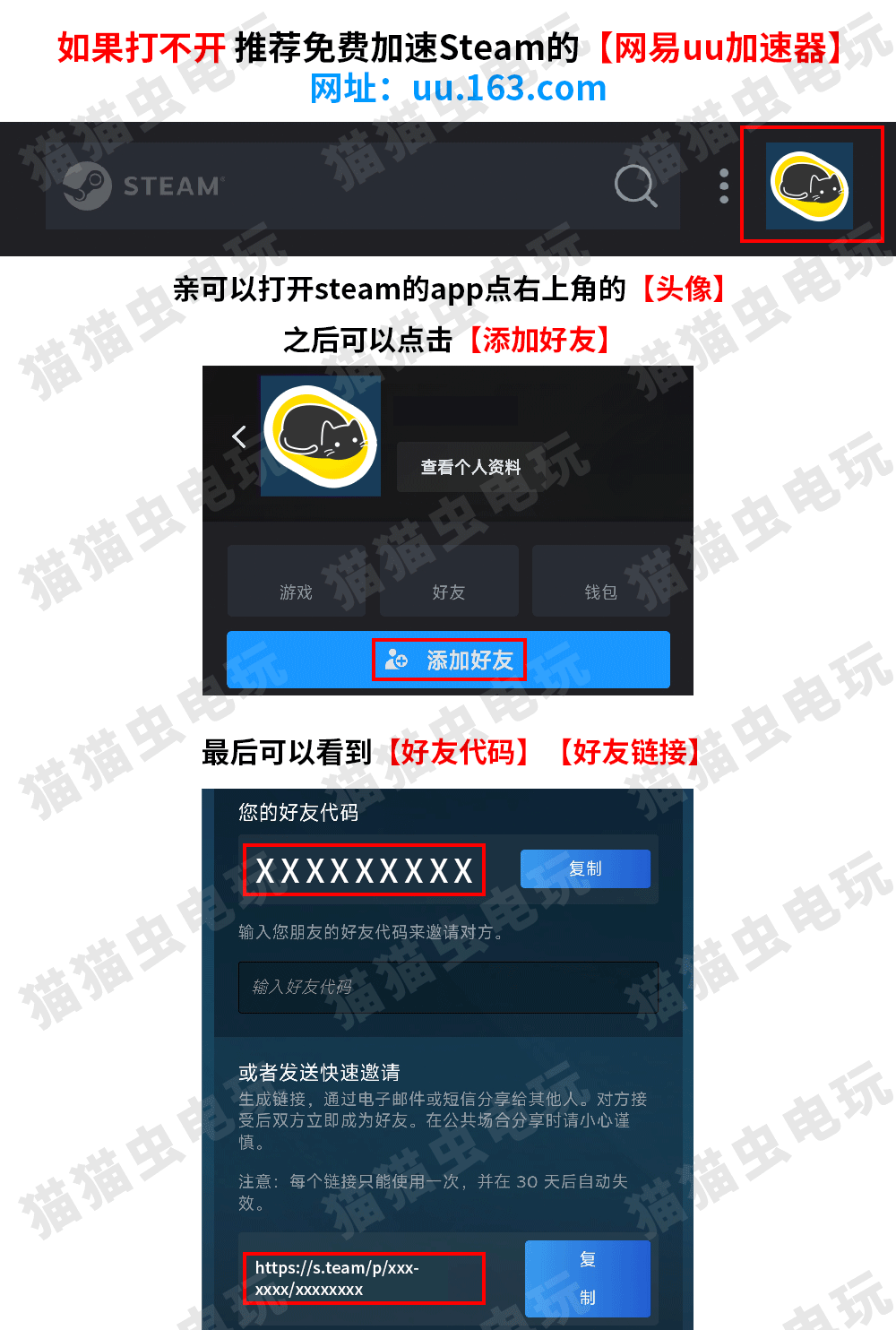
手机端可打开 Steam App,点右上角头像进入 【添加好友】,即可看到好友代码 / 链接。
激活码提货
如果提交后查询显示【发货成功】但是没有看到游戏,亲也可以打开steam官网领取
https://store.steampowered.com/gifts/
打开 Steam 客户端,点左上角的 【好友】 —— 【添加好友】,即可看到好友代码 / 链接。
手机端可打开 Steam App,点右上角头像进入 【添加好友】,即可看到好友代码 / 链接。